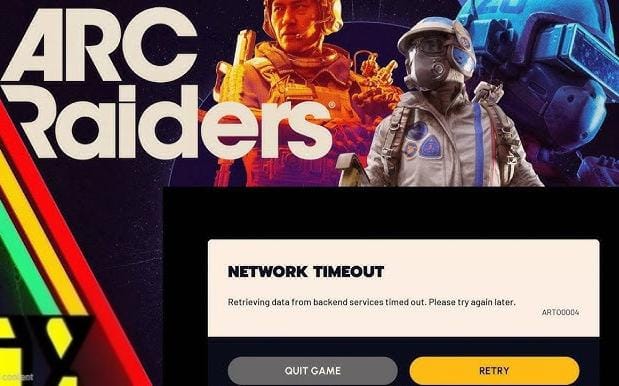










Thousands of gamers worldwide are unable to access ARC Raiders and Fortnite today due to widespread server outages, with many encountering the ART00004 Network Timeout error. The issue is linked to server overload and cloud infrastructure problems, particularly during a surge in holiday player activity. While troubleshooting steps can help, most users are advised to wait for official fixes as the problem is largely server-side.
ARC Raiders and Fortnite are currently down for players across PC, PS5, and Xbox, with reports of login failures and persistent ART00004 Network Timeout errors. The outage began early on December 25, 2025, coinciding with heavy holiday usage. Downdetector recorded over 35,000 reports from U.S. users alone, with similar issues reported in Europe and Asia Pacific. The ART00004 error displays a message stating, “Retrieving data from backend services timed out – please try again later,” indicating a failure to connect to game servers.
Key Highlights
-
Server Overload: The surge in players during the Christmas holiday has overwhelmed backend systems, leading to timeouts and connection failures. The recent ARC Raiders update and new event features may have added additional strain on servers.
-
Cloud Infrastructure Issues: The outages are believed to be linked to broader cloud infrastructure problems, affecting not just ARC Raiders and Fortnite, but also other major games and services like Rocket League and the Epic Games Store.
-
Troubleshooting Steps: Players are advised to check server status pages, restart the game and launcher, power-cycle their modem/router, and verify game files. Switching to a wired Ethernet connection and flushing DNS cache may also help in some cases.
-
Developer Response: Embark Studios and Epic Games have yet to issue an official statement, but community channels suggest that fixes are being worked on. The holiday break may have reduced immediate support availability.
-
Affected Platforms: The issues impact PC, PlayStation, and Xbox users, with some Steam and PlayStation Network services also experiencing disruptions.
What Players Can Do
-
Monitor official social media channels and Downdetector for real-time updates.
-
Try restarting your game, launcher, and network equipment.
-
On PC, verify game files via Steam or Epic Games Launcher.
-
Switch to a wired connection for more stable gameplay.
-
Avoid using VPNs, which can sometimes interfere with server authentication.
Source: Hindustan Times, Downdetector, Sportskeeda, News SSBcrack, Times Now News