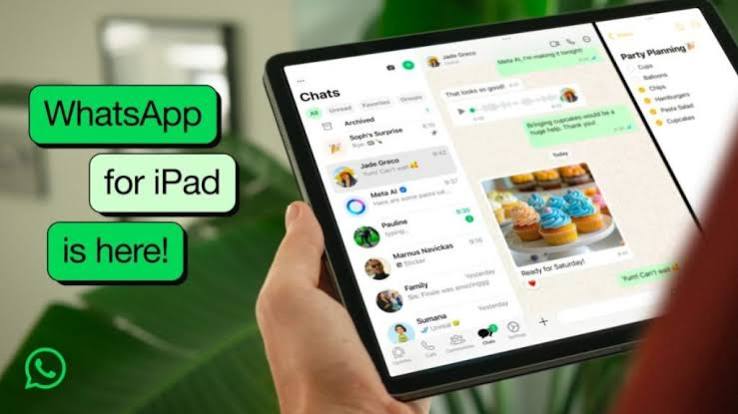

Meta has launched a major update for WhatsApp on iPadOS (version 26.25.74), allowing users to register and use the app as a primary device. This change removes the need for an iPhone, unlocks restricted features like live location sharing, and ends the automatic 14-day logout requirement for inactive companion devices.
WhatsApp Rolls Out Standalone iPad Support, Removing iPhone Need
The latest update allows iPad users to register their accounts directly on the tablet, marking a shift from the previous companion-only model.
MUMBAI — Meta has officially begun a global rollout of a significant update for WhatsApp on iPadOS, finally allowing users to register and operate the messaging platform directly on their tablets. The update, identified as version 26.25.74, effectively moves the iPad beyond its previous status as a mere "companion" device, enabling it to function as a standalone primary device for the first time.
For years, iPad users were restricted to "companion mode," which required a smartphone—either an iPhone or an Android device—to serve as the primary link to the account. This configuration imposed several functional constraints, including the inability to share live locations, manage broadcast lists, or access specific business messaging tools.
Transition to Primary Device Status
With the release of version 26.25.74, Meta is transitioning the iPad experience to mirror that of a smartphone. Users can now register their WhatsApp account by entering their phone number and verifying it via an SMS code or a passkey. This development eliminates the reliance on a secondary mobile device and removes the previous security requirement that forced a logout if the primary smartphone remained inactive for 14 days.
According to reports from industry trackers and early users, the update is being rolled out in phases. While not every user may see the option immediately, Meta has confirmed that the feature will become available to a broader user base over the coming weeks.
Maintaining Flexibility for Users
Despite the introduction of primary device support, Meta has opted to retain "companion mode" for those who prefer to keep their smartphone as the main hub. During the initial setup of the app on an iPad, users will now be prompted to choose between configuring the tablet as their primary device or continuing to use it as a companion device linked to their existing phone.
"Users who prefer to retain their phone as the main device while using the iPad as a secondary option will still have that capability," noted early documentation regarding the update. For existing users, the current setup remains unchanged unless they choose to re-register their account specifically for primary iPad use.
Why It Matters: Expanding Accessibility
The shift is particularly significant for professional and tablet-focused users who frequently rely on iPads for productivity. By enabling full-featured messaging, including support for WhatsApp Flows and advanced business messaging, Meta is aligning the iPad application with the feature parity found on mobile and desktop platforms. This change mitigates the friction previously associated with managing separate devices and improves overall account security by removing the 14-day inactivity logout penalty.
Key Facts at a Glance
Standalone Registration: Users can now register WhatsApp directly on the iPad using a phone number without needing to scan a QR code from a smartphone.
Feature Parity: The update enables previously restricted functions, such as live location sharing, broadcast list management, and business messaging features.
Version Compatibility: The new functionality is currently rolling out via WhatsApp for iPadOS version 26.25.74.
Persistent Login: The iPad will no longer automatically log out if the user's phone is inactive for 14 days, as the tablet can now act as the primary authentication point.
FAQ
Q: Do I need to delete my existing WhatsApp setup to use this feature?
A: Not necessarily. If you choose to set up the iPad as your primary device, you will be registering that phone number to the iPad. You can keep your existing companion setup if you prefer, or transition to the standalone mode during the initial registration process.
Q: Can I use WhatsApp on both my phone and iPad independently?
A: Currently, the update allows the iPad to function as the primary device. For concurrent use across multiple devices, users may still rely on the existing multi-device linking features, though the registration process for the iPad is now independent.
Q: Is this update available to everyone immediately?
A: Meta is rolling out the feature gradually. If you do not see the option to register as a primary device, ensure your app is updated to version 26.25.74 or later.
Source: WhatsApp Help Center, WABetaInfo, Cashify News