Digital marketing experts have detailed verified manual and automated methods to extract YouTube video tags from competitors to optimize video search discoverability. By auditing raw webpage source HTML or deploying official API calls, creators can map out hidden competitor metadata to improve search positioning and algorithmic recommendations.
SAN FRANCISCO — Digital media researchers and search engine optimization (SEO) firms have compiled verified procedures detailing how to extract YouTube video tags from competitor channels to optimize audience reach. Industry reports published in June 2026 indicate that despite changes to public platform interfaces, secondary metadata remains fully accessible through native browser audits and official API integrations.
Understanding how to extract YouTube video tags has become a core competency for modern digital marketing teams. While the platform hidden these descriptive keywords from public view to minimize keyword-stuffing, algorithmic search models continue to parse this metadata to categorize video topics, establish contextual relevance, and populate "Up Next" recommended video sidebars.
Native Browser Inspections Reveal Hidden Video Metadata
Technical analysis teams at search analytics companies confirm that the most reliable, software-free method to discover hidden metadata relies entirely on native browser tools. Because the platform must deliver descriptive labels within the page's HTML container to instruct web crawlers, any desktop user can view the complete list of target keywords associated with a public clip.
The technical steps implemented by search analysts involve reviewing a video's underlying structure:
Page Source Access: Navigating to the specific video, right-clicking on the page background, and selecting "View Page Source" (or utilizing the keyboard shortcut Ctrl + U on Windows and Cmd + Option + U on Mac operating systems).
String Queries: Activating the text search interface (Ctrl + F or Cmd + F) and entering the explicit database key string "keywords".
Array Identification: Locating the JSON formatted text block directly adjacent to the keyword marker, which lists the exact phrases assigned by the publisher inside an array bracket.
Data engineering audits show this approach ensures absolute accuracy, as it bypasses third-party scraping algorithms and extracts text assets straight from the platform's active server delivery.
Deploying Certified Browser Extensions and API Terminals
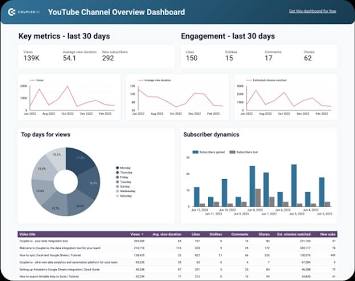
For corporate creators managing high-volume channels, manual source code checks are often too slow. Software review data demonstrates that enterprise marketing departments rely primarily on browser plug-ins certified under the Chrome Web Store security protocols. Applications such as TubeBuddy and vidIQ integrate directly into the standard desktop layout, pulling metadata records and displaying them in an automated sidebar.
Aside from standalone extensions, advanced data analysts access metadata via the official Data API v3 portal. By inputting a specific alphanumeric video identifier into the videos.list endpoint and requesting the snippet parameter block, developer applications can pull structural information across hundreds of competitor uploads simultaneously.
Independent digital rights and software audits indicate that these data collection practices remain entirely compliant with current platform terms of service, provided the data pulled is public and gathered without overloading server infrastructure.
Official Sources Section
According to official developer documentation from the Google Developers Architecture portal and compliance guidelines issued by major creator analytics firms, video tags function as secondary contextual signposts. They are designed to correct common typographical search errors and define niche terminology rather than overwrite primary titles and structural descriptions.
Quote Section
"While the platform's recommendation engine depends heavily on viewer retention metrics and click-through click paths, metadata tracking remains a useful foundational framework," according to digital optimization officials. "Learning how to extract YouTube video tags allows publishers to understand the baseline topical structure their competitors target, ensuring new content aligns correctly with active search categories."
Why It Matters
For digital businesses, independent creators, and corporate marketing teams, knowing how to extract YouTube video tags provides clear visibility into competitor content frameworks. It helps identify search traffic gaps, surface relevant long-tail search phrases, and structure descriptions to improve visibility in recommended feeds. On a consumer level, these optimization methods help viewers find relevant content by aligning publisher search terms with real-world user queries.
Key Facts at a Glance
Core Utility: Extracting competitor video tags assists digital creators in mapping structural metadata and improving contextual search rankings.
Manual Extraction: Users can find hidden keywords legally by searching for the "keywords" string in a webpage's source code layout.
Automated Tools: Secure browser extensions automatically compile and display competitor keyword statistics directly beside active video players.
Official Access: High-volume analytics teams pull identical structural records using public endpoint queries via the Data API v3 portal.
Strategic Scope: Platform guidelines state that tags are intended to resolve spelling variations and clarify technical subject matter.
Frequently Asked Questions (FAQ)
Is it legal to extract YouTube video tags from competitor channels?
Yes. Video tags are public metadata delivered directly within the webpage's source code to guide web crawlers and indexing systems. Reviewing or extracting this information via standard web browsers or authorized API tools is completely legal and complies with data standards.
Do video tags still impact video search rankings?
According to official platform documentation, tags play a supportive role compared to titles, thumbnails, and written descriptions. They are useful for clarifying misspelled terms, names, or highly specific niche topics that audiences might search for.
Why did the platform hide video tags from the public player view?
The interface layout was updated to reduce keyword stuffing—a practice where publishers filled descriptions with irrelevant popular keywords to trick search algorithms. Hiding them ensures a cleaner user experience while allowing search systems to process the metadata in the background.
Source: Google Developers Data API Reference Guidelines, YouTube Creator Academy Educational Bulletins, Chrome Web Store Extension Security Logs, and VidIQ Platform Meta-Analysis Reports.